
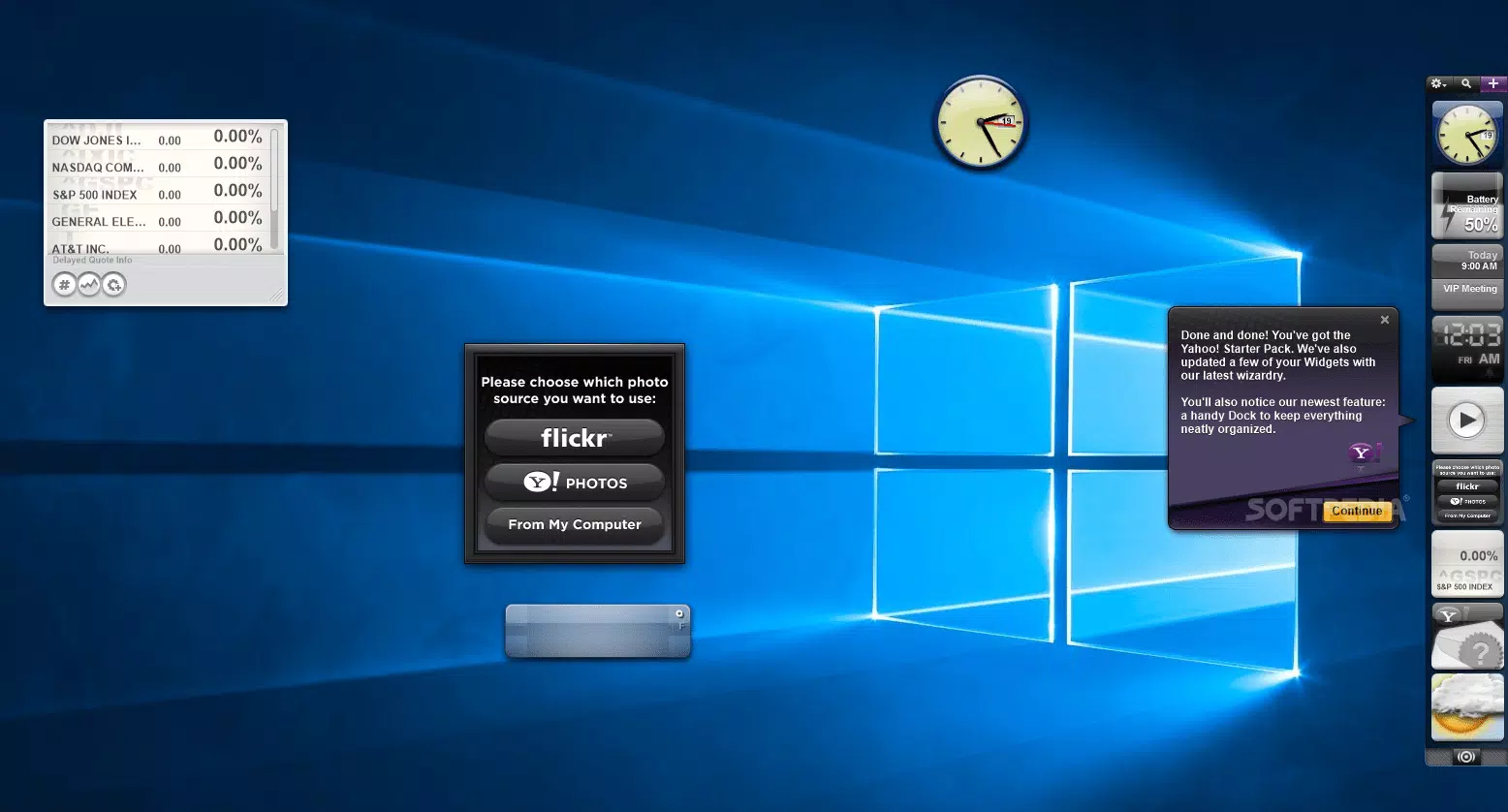
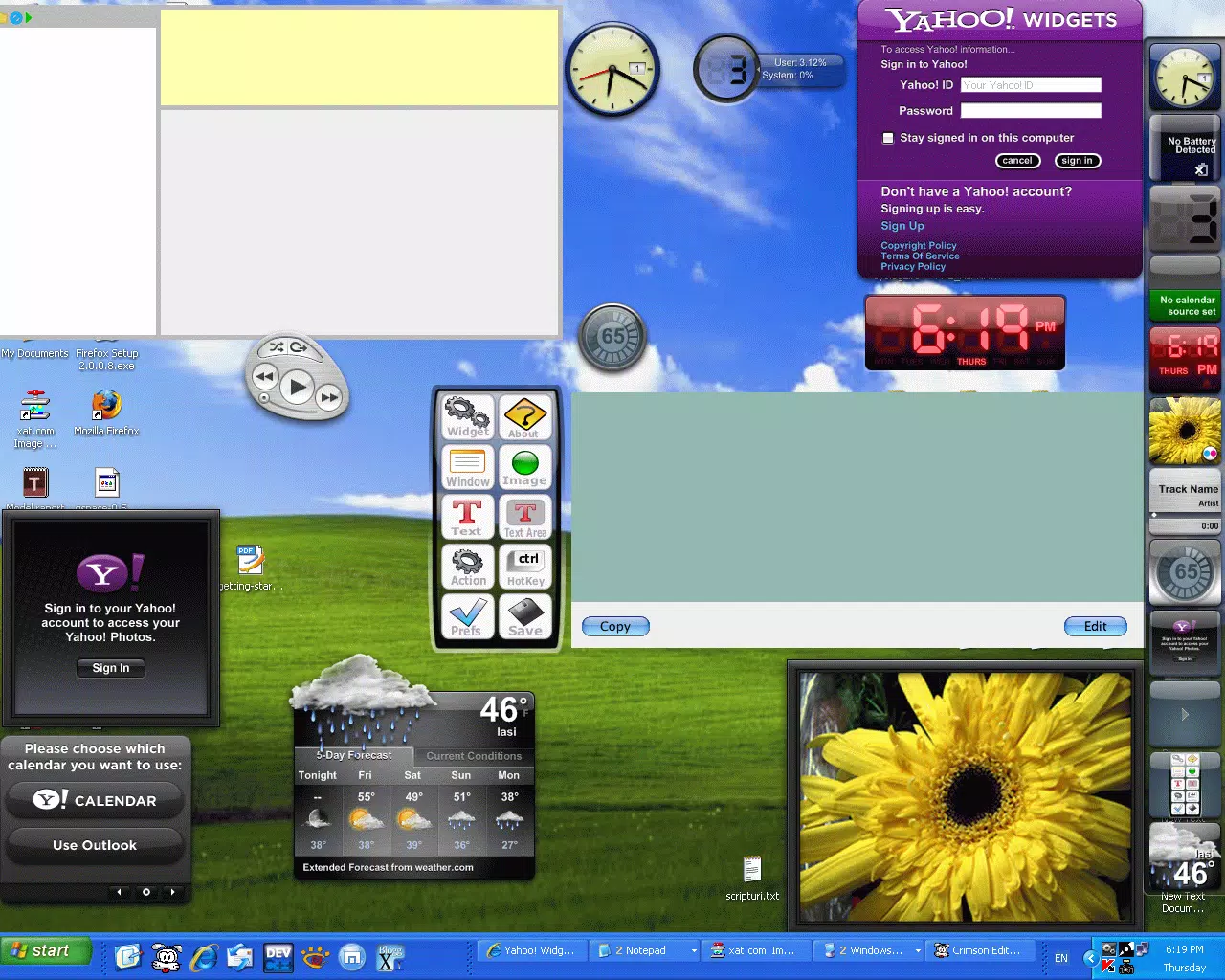

Download Yahoo Widgets – desktop toolbar, customizable widgets, weather forecast, email manager, Wi-Fi checker, calendar, iTunes remote, system information, web tools, productivity tool, utility app
Overview
Yahoo Widgets is a productivity-focused utility app designed to enhance the desktop experience through a customizable toolbar composed of small, standalone applications called widgets. The app serves as a centralized hub for quick access to essential tools and real-time information, enabling users to streamline daily tasks and stay connected with key services. Its primary purpose is to provide a flexible, user-friendly interface that integrates seamlessly into the workflow of individuals managing multiple digital activities—ranging from checking weather updates and monitoring email to tracking Wi-Fi signals and managing calendars.
Target users include individuals who rely on Yahoo services, as well as general desktop users seeking efficient, no-frills tools for system information and web-based functionality. The app is particularly beneficial for those who prefer visual, real-time data without the need to open full applications. By offering a modular approach to desktop organization, Yahoo Widgets fills a niche in the productivity ecosystem by combining utility, customization, and accessibility in a single lightweight package.
Developed by Yahoo, the app reflects the company’s long-standing commitment to user-centric digital tools. Although specific details about the development team or technical architecture were not provided, the app’s consistent updates and stable performance suggest a mature product lifecycle. Real-world use cases include using the weather widget for daily planning, the Yahoo Mail manager for quick inbox checks, and the Wi-Fi checker to troubleshoot connectivity issues—all without switching between applications.
Key Features & Functionality
- Customization – Users can personalize the toolbar with a variety of widgets tailored to their daily routines, ensuring quick access to frequently used tools.
- 22 Default Widgets – Includes essential tools such as a weather forecaster, Yahoo Mail manager, Wi-Fi signal checker, calendar, and iTunes remote for seamless media control.
- Easy Widget Management – Adding and removing widgets is intuitive, with a dedicated widget dock offering enhanced personalization options and streamlined organization.
- On-the-Fly Configuration – Configuration buttons appear on hover, allowing users to adjust settings instantly without opening separate menus.
- System Integration – Supports Windows Alt-Tab menu access, enabling smooth navigation between widgets and other running applications.
These features are designed to improve efficiency by reducing context switching. For example, a user can check their calendar and email without launching full desktop clients. The weather widget can be placed in a visible location for real-time updates during work hours, while the iTunes remote allows control of music playback from a distance. The Wi-Fi checker helps identify signal strength issues quickly, which is especially useful in shared or multi-room environments. The app’s modular nature allows users to build a personalized digital workspace that evolves with their needs.
Interface, UX & Performance
The user interface of Yahoo Widgets is clean, minimalist, and highly functional, emphasizing usability over visual flair. The toolbar is designed to remain unobtrusive while delivering instant access to essential tools. Navigation is intuitive, with widgets arranged in a dock-like layout that supports drag-and-drop reordering and easy removal. The visual style is consistent with modern desktop aesthetics, using subtle gradients and clear icons to maintain clarity.
Performance is optimized for lightweight operation, with a file size of 12.4 MB, indicating efficient resource usage. Although the developer did not list formal performance metrics, the app’s responsiveness across various device categories suggests smooth operation even on lower-end systems. Stability appears to be well-maintained, with no reported issues related to crashes or memory leaks. The hover-based configuration system enhances usability by providing immediate access to settings without disrupting workflow.
Responsiveness is strong, with widgets updating in real time—such as the weather forecast and calendar—without noticeable delays. The integration with the Windows Alt-Tab menu ensures that users can switch between widgets and other applications seamlessly. Overall, the UX is designed with efficiency in mind, prioritizing speed, accessibility, and minimal distraction.
Platform Compatibility & Technical Requirements
Yahoo Widgets is available for the Windows platform, supporting the latest versions of the operating system. The app’s software version is 4.0.0, and the file size is 12.4 MB, indicating a lightweight installation that does not consume significant disk space. The developer did not specify minimum OS requirements, nor did they list exact compatibility details for older Windows versions.
Given the app’s size and focus on productivity, it is likely optimized for modern Windows systems, including Windows 10 and Windows 11. However, without explicit information, users are advised to verify compatibility with their specific system configuration. The app is available for free, making it accessible to a wide audience. No additional dependencies or background services were mentioned in the provided data.
Pros and Cons
Pros
- Lightweight design with a small file size of 12.4 MB
- Offers 22 default widgets for immediate use
- Highly customizable interface with easy widget management
- Real-time updates for weather, calendar, and system tools
- Seamless integration with Windows workflows via Alt-Tab access
Cons
- Compatibility with older Windows versions was not specified
- Developer did not provide detailed system requirements
- App is not available on mobile platforms such as Android or iOS
- No information on update frequency or future feature roadmap
- Limited support for non-Windows operating systems
FAQ
Is Yahoo Widgets available for Android or iOS?
Yahoo Widgets is currently designed for the Windows platform. There is no official version available for Android or iOS devices.
Can I download Yahoo Widgets for free?
Yes, Yahoo Widgets is available at no cost. The app is free to download, install, and use without any subscription or in-app purchases.
How do I install Yahoo Widgets on my Windows PC?
To install, download the app from the official source, run the installer, and follow the on-screen instructions. The process is straightforward and does not require advanced technical knowledge.
Are the widgets secure to use?
As a product developed by Yahoo, the app is distributed through official channels. It is recommended to download only from trusted sources to ensure security and avoid tampering.
Does Yahoo Widgets require an internet connection?
While some widgets like weather and email require an internet connection to function, others such as the calendar or system information tools may work offline after initial data sync.
Final Thoughts
Yahoo Widgets stands out as a practical, lightweight productivity tool that enhances the desktop experience through customization and real-time functionality. Its collection of 22 default widgets, intuitive interface, and seamless Windows integration make it a valuable addition for users who value efficiency and personalization. Whether you're managing your Yahoo Mail, checking the weather, or controlling media playback, the app delivers consistent performance and ease of use.
While it is not available on mobile platforms, its desktop focus makes it ideal for users who spend significant time on Windows systems. The free price point and minimal system requirements further increase its accessibility. For those seeking a secure, no-frills utility app to streamline daily tasks, Yahoo Widgets offers a compelling solution.
Download Yahoo Widgets now


